
Create your Account
- Go to the main page and click 'Sign up' on the top right.
- You can sign up easily with an existing social media account such as Google, Facebook, Twitter, and Naver.
- If you are using an email address to sign up, you only have to type your email address, password, and nickname.
Activate your Account
- If you signed up with Twitter or email address, you have to activate your account. You can skip this if you used a Google, Facebook, or Naver account to sign up.
- A navigation menu will be shown if you click your profile icon on the top right. Now, click Settings > [Email verification]..
- Confirm your email address or enter the correct one, then click 'Send confirmation mail'.
- Soon, you'll get an email from POSTYPE. Click the link in the middle to activate your account fully.
How to Buy
- If you see the image below at the bottom of the post, you need to charge points and buy the post to see the rest of the content.
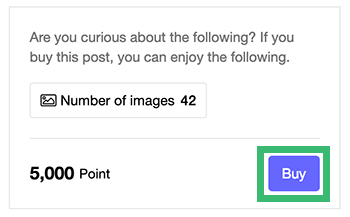
- If you don't have enough points to buy the post, click Point > [Charge points].
- Select the charge amount. Enter your name, email, and contact number. Select PayPal and click 'Pay'.
- Overseas users can easily charge points with PayPal. Please refer to the 'Paypal Help Center' for more information.
- 1 point = KRW1. Every point is eligible for use.
- You can use points to buy posts or to support authors.
- You can check your point history on Point > [Point charge history].