Issuing and Registering Membership Coupons
What is a membership coupon?
- A membership coupon is something a creator can issue so that readers who have not used the membership can experience the benefits of a membership plan.
- If you are running a membership, try using coupons to attract new membership subscribers or when running events.
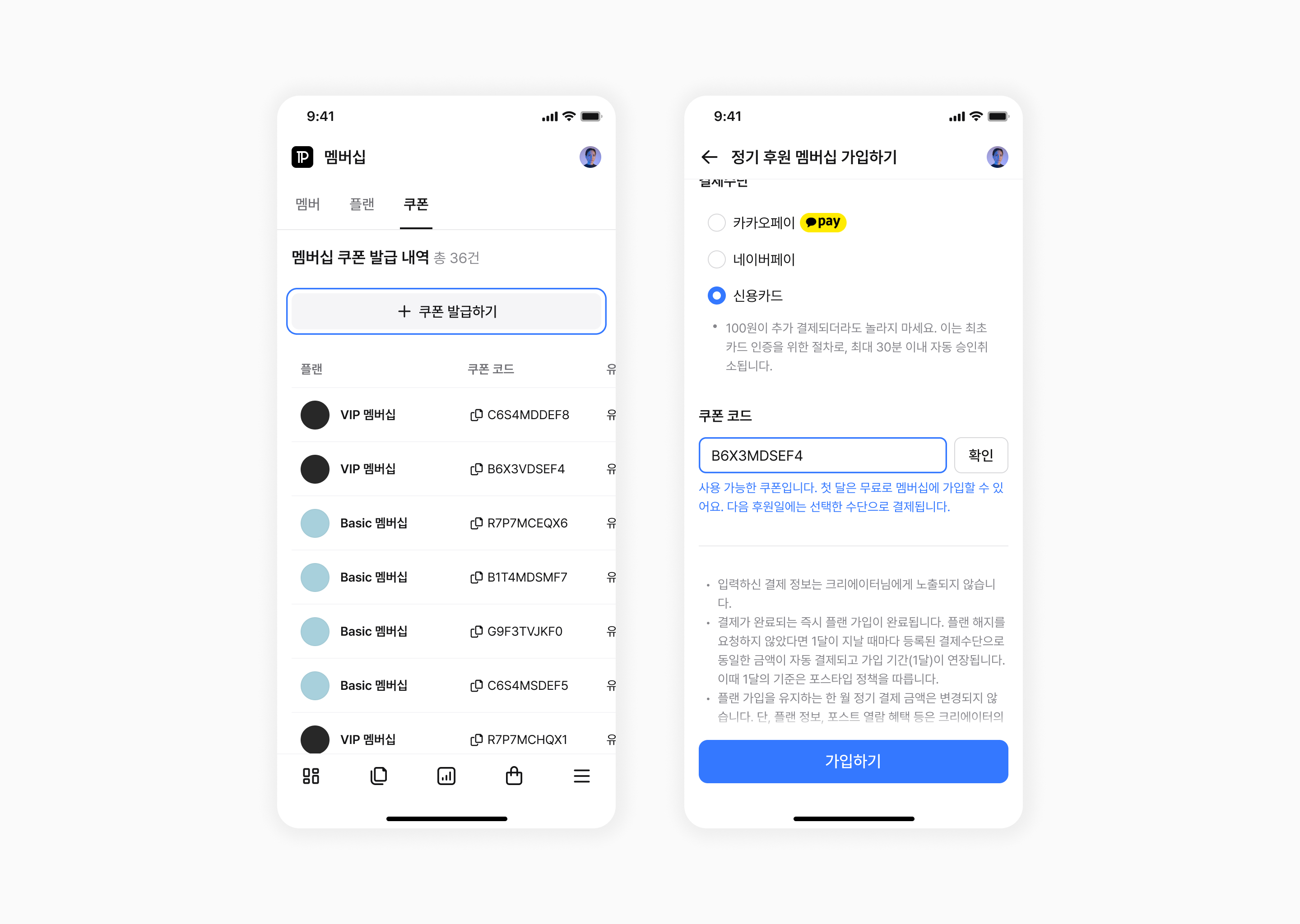
How to issue a membership coupon
- Go to [Studio] > [Membership] > [Coupon].
- Click the '+ Issue coupon' button and then click the 'Issue coupon' button.
- Click the 'Copy coupon code' button to copy the code.
- Send the coupon and instructions on how to register it to readers via POSTYPE messages, etc.
How to register a membership coupon
- If you have received a membership coupon from a creator, click 'Subscribe' or 'Support this plan with a recurring payment' for the relevant membership plan.
- On the recurring support membership subscription screen, enter the received code in the 'Coupon code' field.
Notes
- There is no limit to the number of membership coupons that can be issued.
- Coupons are issued per plan, and you must also provide the name of the applicable membership plan to the person receiving the coupon.
- Coupons can only be registered if the user is not currently subscribed to the membership plan. (Regardless of any previous subscription)
- The membership plan is only free for the first month; after that, the membership plan fee will be charged.
